A day with six projects
What running several projects at once actually looks like: one board across every organization, four agents working in parallel, and a phone that is enough to keep them going.


- 01
Start with who needs you
The Inbox is not a list of everything. It is the sessions that stopped and are waiting on a person – with the sentence that stopped them.
app.bridge4.dev/my-work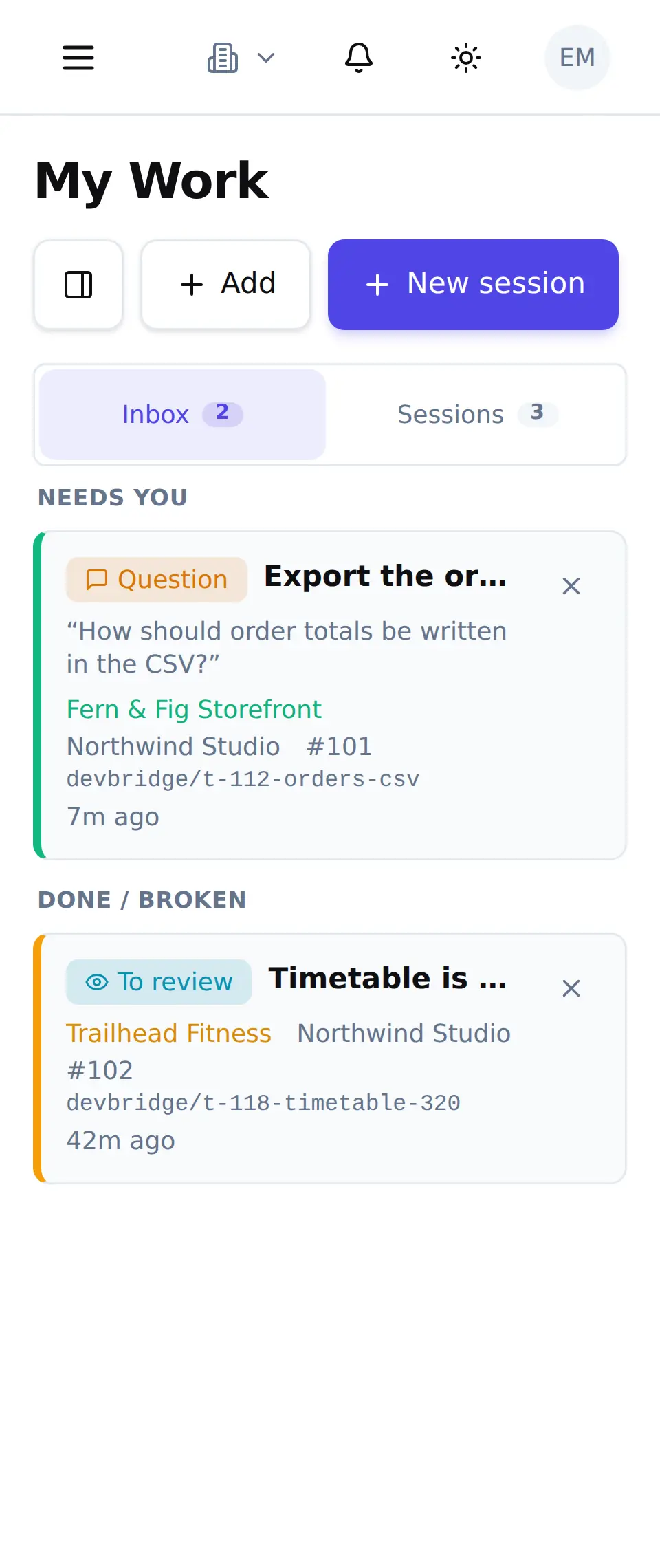
- 02
Every project you watch, in one place
Same screen, one panel across. The board is not tied to one organization – every project you have been added to stands in the same column, because you are one person and they are all your evening.
app.bridge4.dev/my-work - 03
Six projects, one column
Running, waiting, paused, in review – several sessions live at once across different projects and different machines. How many run side by side is a number you set per machine, and a session can be given its own branch and working folder so two of them on one repository do not collide.
app.bridge4.dev/development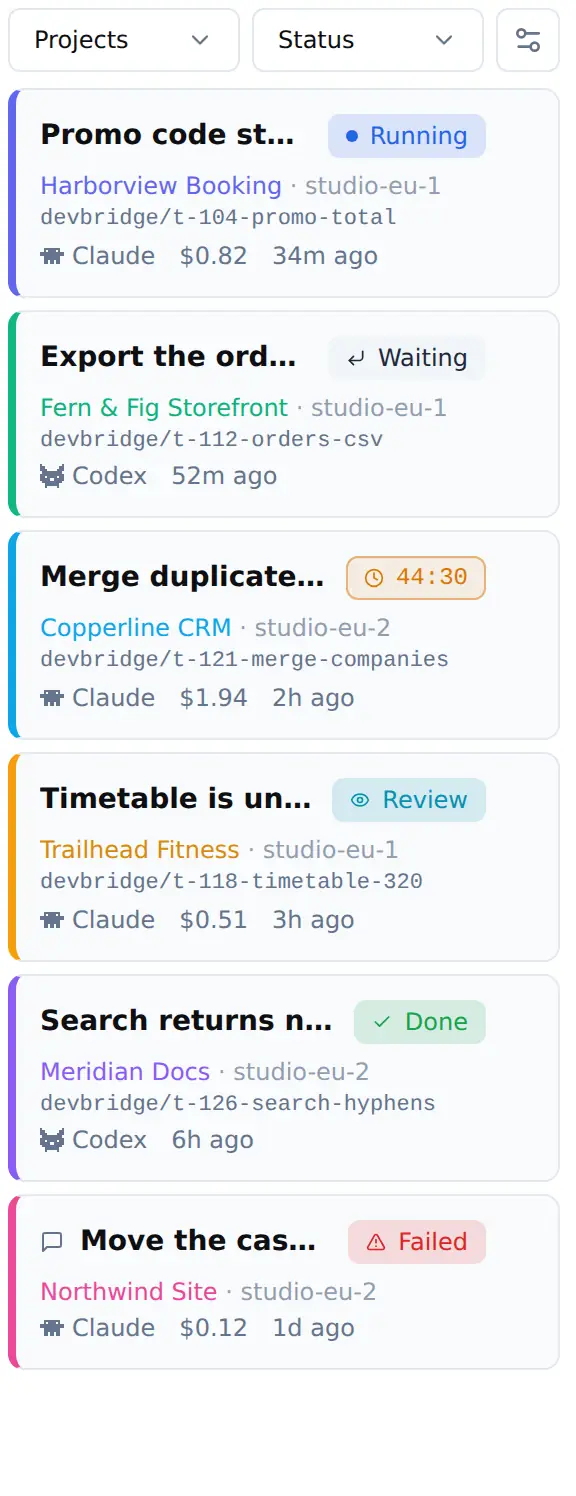
- 04
On machines you own
Each dev server says how many sessions it is running and how many seats are left. When the last seat goes, DevBridge tells you instead of failing quietly.
- 05
One of them stops and asks
A decision the agent should not take alone. Everything else keeps running while this one waits.
app.bridge4.dev/development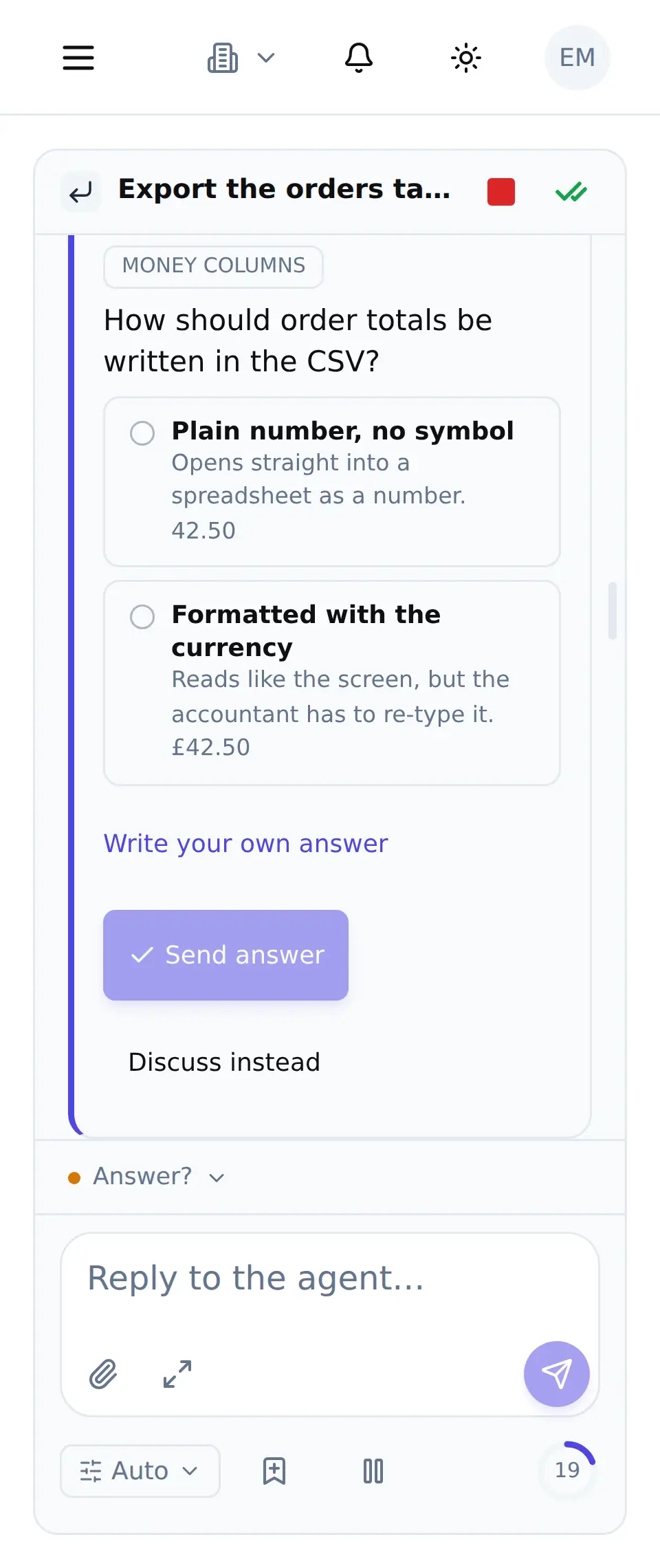
- 06
You answer from wherever you are
The same card on a phone. No laptop, no VPN, no terminal – and the session picks up the moment you tap.
app.bridge4.dev/development - 07
Pause it until morning
A session can be put on a clock – for a rate limit that resets, or because it is midnight. The card counts down; nothing is lost.
app.bridge4.dev/development - 08
What the day actually produced
In review, done, and the one that failed with the reason it failed. One column, six projects, no reconstruction required.
app.bridge4.dev/development


